Appendix IX - How Does Modulation Work

How Does Modulation Work?
Modulation changes the value of the Target parameter over time. You can think of it like a wave that changes the value as it rises and falls.
For example…
Let’s imagine our modulation Target is set to Velocity.
We chose Shape as Triangle (below) which will increase and then decrease, and then increase the velocity value back to its Baseline Value. That is, the value set for the parameter itself.
How much it is increased and decreased is set by the Amount, which is a percentage of the half of the total range of the parameter value.
The minimum velocity is 0 (no sound) and the maximum is 127, so an Amount of 100% would equal ± 63.5.
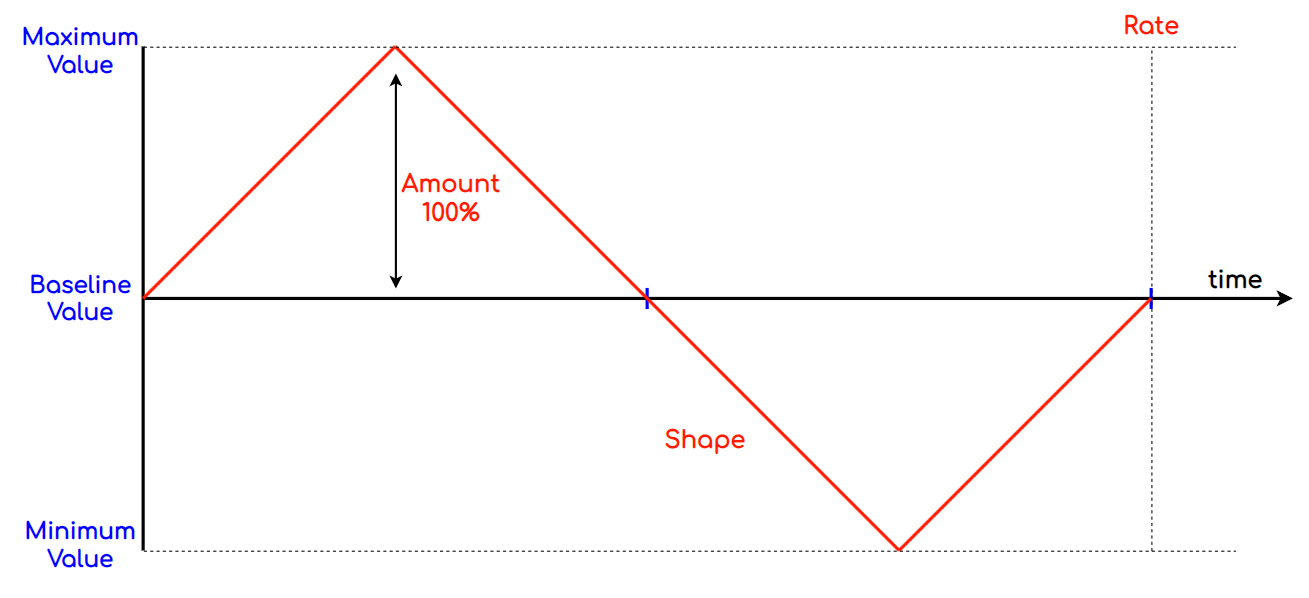
The Rate determines the wavelength, that is how long the wave lasts before it returns to the original value and then repeats.
So, Given…
-
Velocity = 64
-
Time Division = 12/1 (12 steps per bar)
-
Modulation Rate = 1 bar
In one bar, ARP would output 8 notes with the following velocities: -
64, 85, 106, 127, 106, 85, 64, 43, 22, 0, 22, 43
Our sound would increase in volume to max and then decrease in volume to zero before returning to the original value.
Modulation Limits (Floor and Ceiling)
What happens if we increase or decrease the baseline Value?
The answer is simple, the value will increase to the maximum and if the modulation pushes beyond that value, the value remains at the maximum. This is similar to clipping an audio signal.
The same is true if the Value is reduced. Should the modulation push the value below the minimum, the value remains at the minimum until the modulation pushes the value back up.
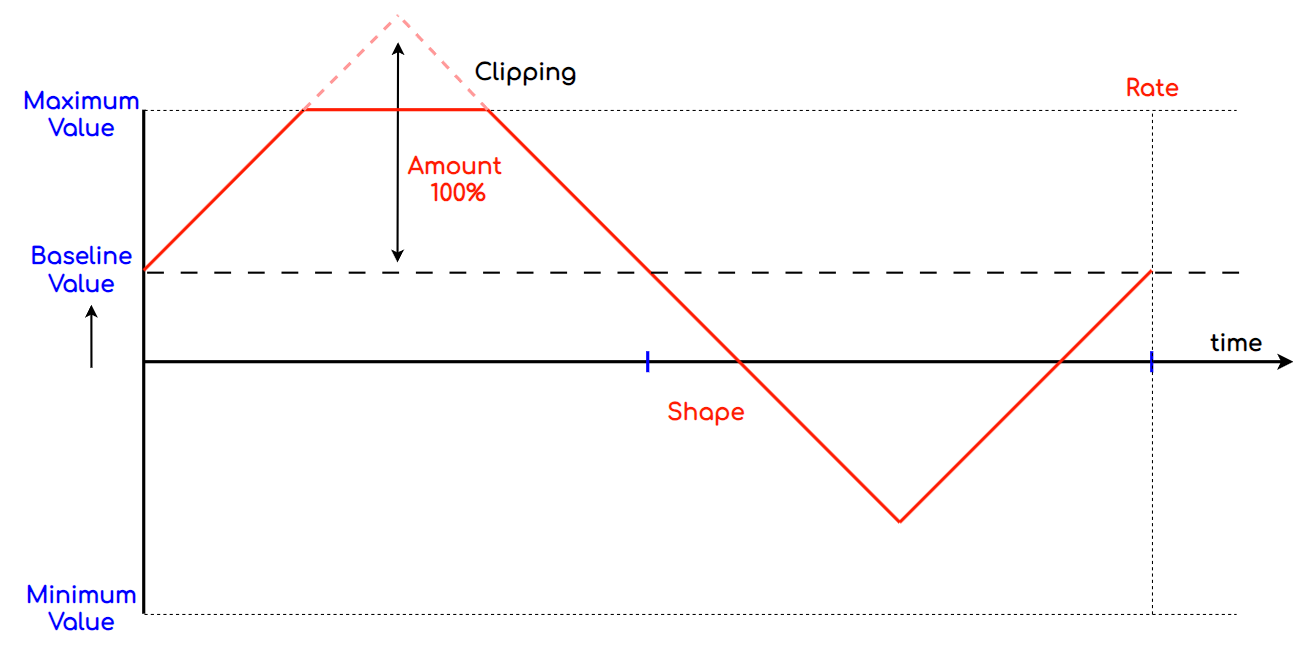
You can also see here that as the bassline value has gone up, so has the lowest value that the modulation reaches. Well above the minimum.
This is because the Amount is a percentage of the range, and so the amplitude of the modulation is unchanged.
So, Given our example…
-
Velocity = 80
-
Time Division = 8/1 (8 steps per bar)
-
Modulation Rate = 1 bar
The result would be: -
80, 101, 122, 127, 122, 101, 80, 59, 38, 16, 38, 59
Pushing the Limits
To allow greater range of movement and to create more interesting shapes, ARP allows you to set the Modulation Amount up to 200%.
Using the same examples as above, if we reduce the baseline Value all the way to zero and increase the modulation Amount to 200%, the shape below is produced.
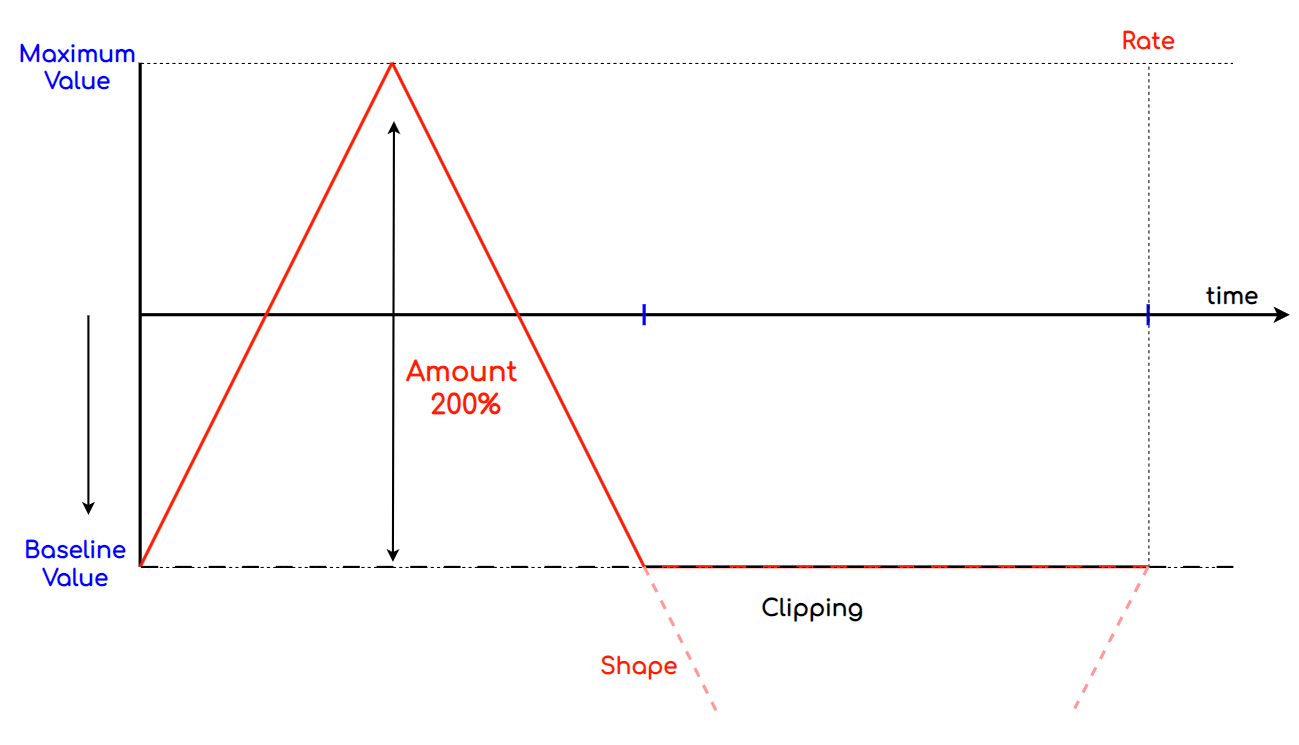
Now the top half of the triangle wave modulates the value by the full range of values and the lower half of the triangle wave is clipped entirely.
Again, Given our example…
-
Velocity = 0
-
Time Division = 8/1 (8 steps per bar)
-
Modulation Rate = 1 bar
The result would be: -
0, 42, 85, 127, 85, 42, 0, 0, 0, 0, 0, 0
There are the basic principles, but the possibilities are huge. Go explore!
Modulation Sequence
The Modulation Sequence refers to the time period in which the modulation runs and repeats. Then the Cycle completes and it starts again at the beginning.
It is made up of 3 phases: -
-
Pre Mod: The time before modulation starts
-
Rate: The actual modulation
-
Post Mod: The time after modulation ends and before the cycle repeats.
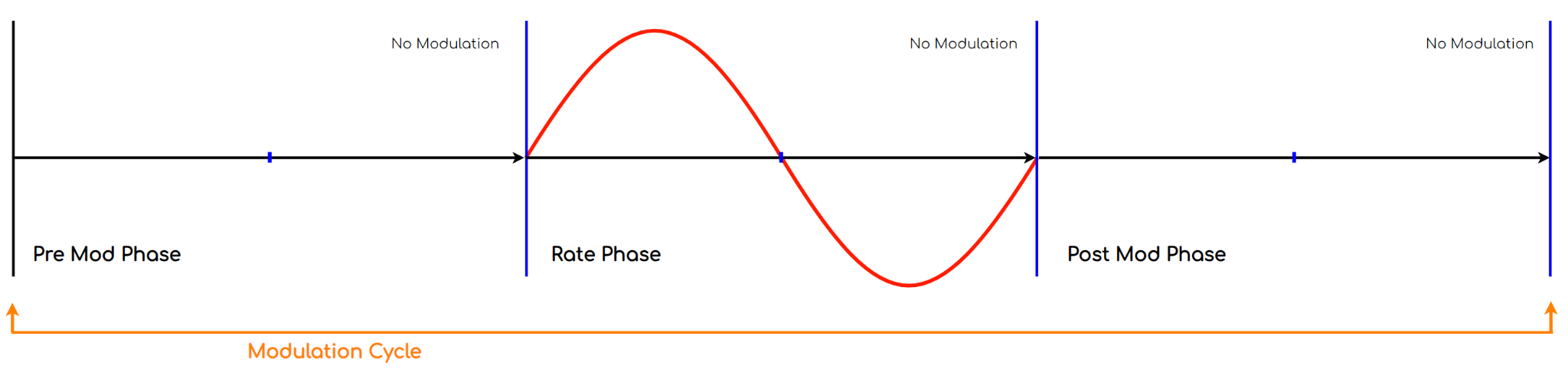
During the Pre Mod and Post Mod phases, there is no modulation of the Target parameter’s value and it remains static.
Layering Modulators
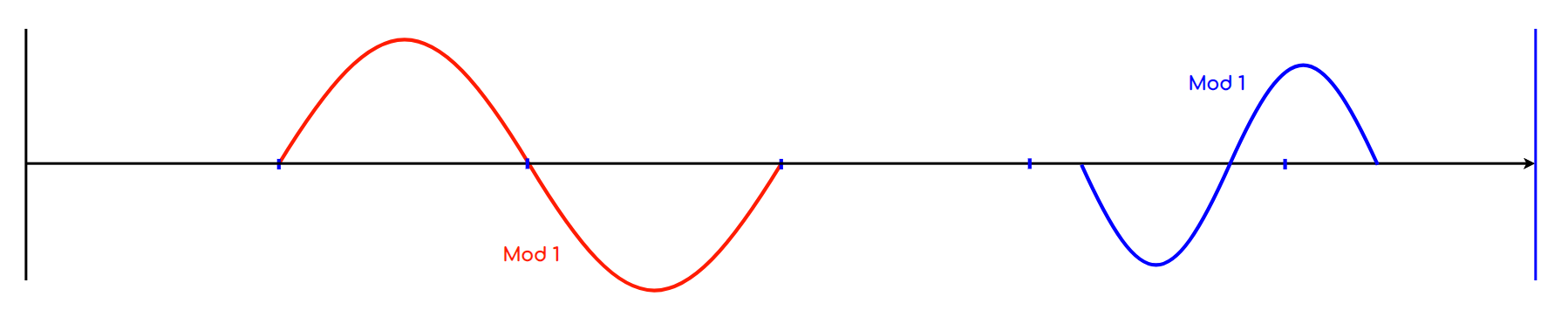
The Modulations can also be layered. If you have 2 modulations set to the same target, you can get different modulations running at different points within the cycle.
Or, If the modulations occur at the same time, the results will be summed.
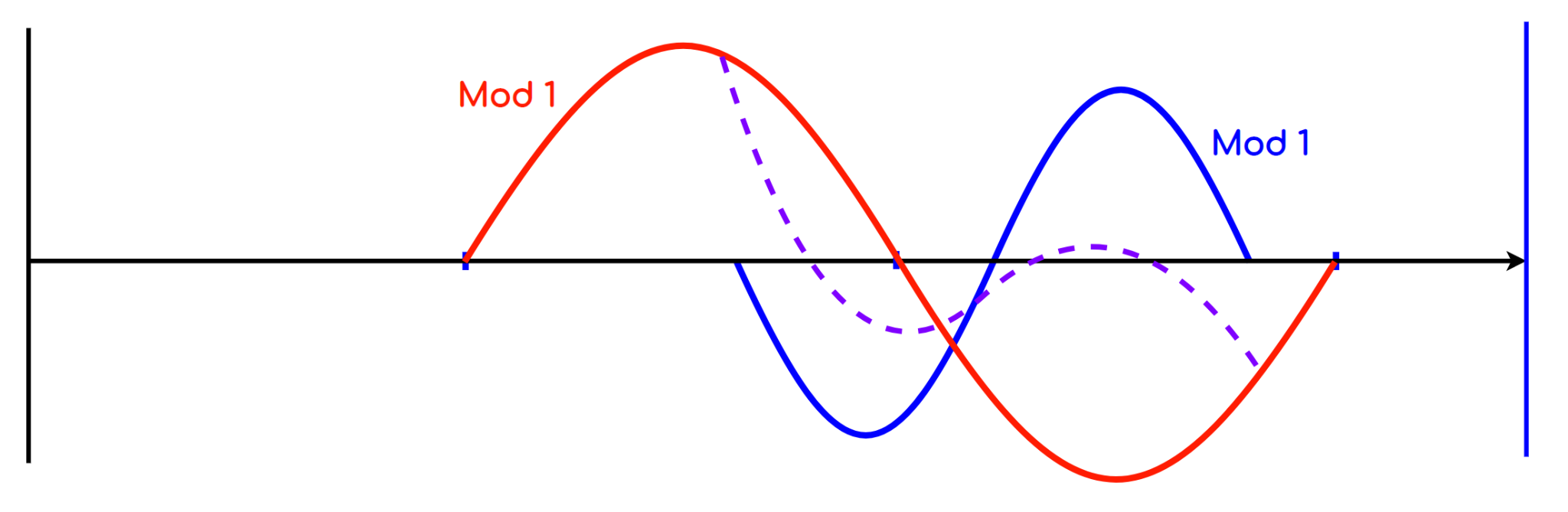
The true power of ARP’s modulators is in its ability to target any parameter. Modulation can be used in so many creative ways. Go have some fun!