Connectivity
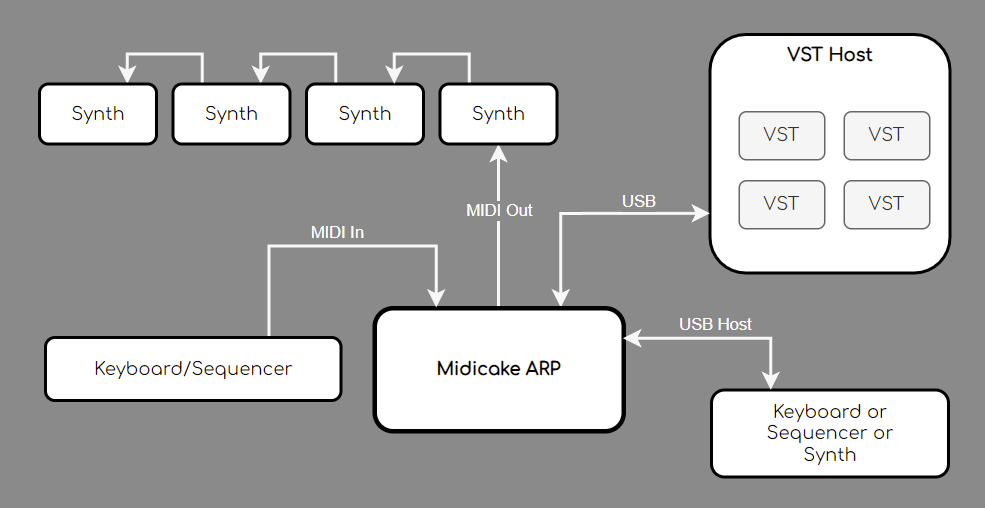
ARP can be connected to external devices via midi messages over USB or the MIDI DIN connections.

MIDI In
Midi In enables connection to any MIDI-compatible device via the DIN port.
It can be used to tempo sync to a master midi clock.
Note sync is also supported via MIDI In, forcing ARP to track the incoming notes. This can be combined with MIDI Thru, enabling a keyboard or sequencer to control both ARP and an external sound generator, via either MIDI Out or USB.
MIDI Out
Midi Out enables connection to any midi-compatible device via the DIN port.
It can be used to send MIDI clock and MIDI note messages to external devices.
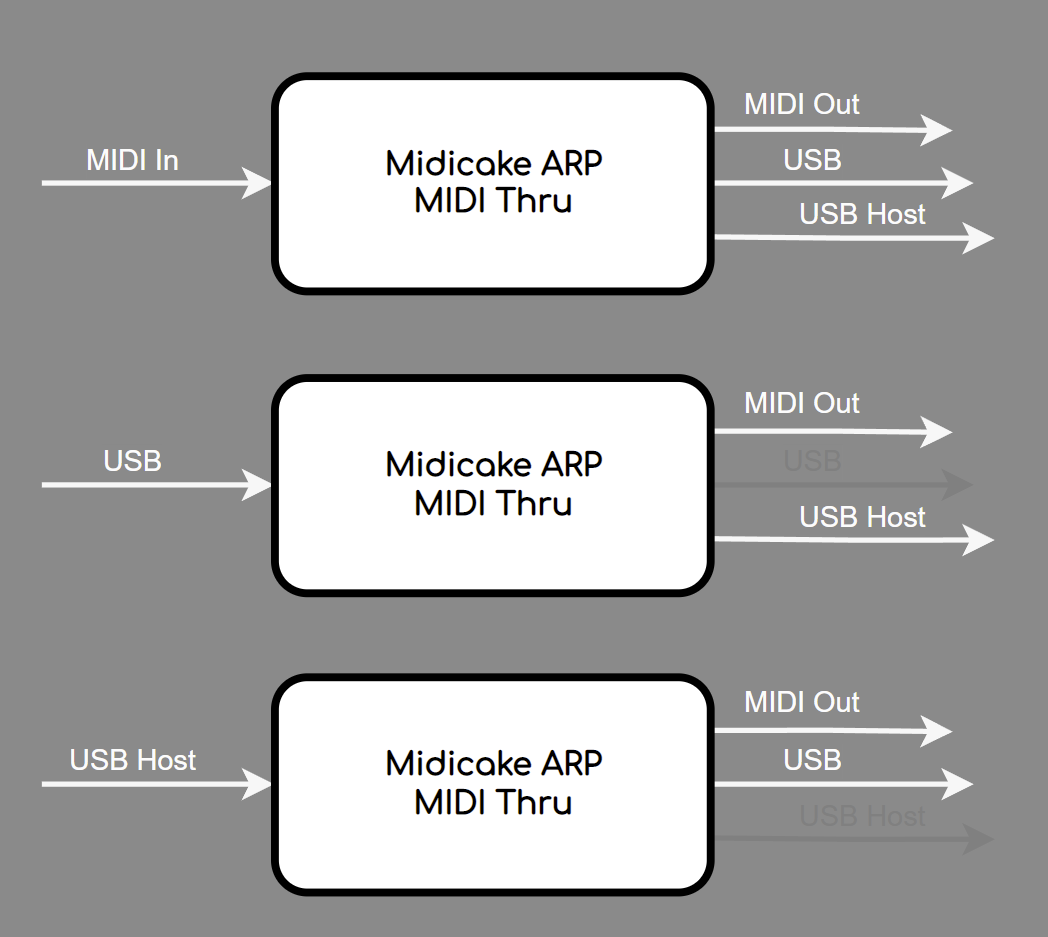
It also passes external messages via Midi Thru from both MIDI in and MIDI over USB, if enabled.
USB
The Type-B USB port provides power to the unit. It also supports MIDI over USB to connect to software sound generators, VSTs and DAWs.
It supports both incoming and outgoing MIDI clock and MIDI note messages.
USB Host
The Type-A USB Host port supports MIDI note and CC input from a USB MIDI device such as a keyboard or sequencer.
MIDI Thru
If enabled, (via the Menu) ARP will forward any incoming MIDI messages to all applicable MIDI output ports.
Notes
-
MIDI Thru for Transport and Clock messages is only enabled when ARP has MIDI Control Mode set to IN
-
A software MIDI Thru is used so a small latency may be evident
MIDI Log
You can check the messages being sent and received by ARP using the MIDI Log.
-
Press and Hold the LOAD/RESET button for 3 seconds to enter the BIOS Menu
-
Press Note 2 to Show MIDI Log
The last 100 MIDI messages in and out of ARP will be displayed.
-
Use the UP/DOWN buttons to scroll