Appendix V - MIDI Input Arpeggiation Mode Behaviour
ARP responds to MIDI Note Input in different ways, depending on the Arpeggiation Mode.
In SET Mode press Menu repeatedly until you see MIDI Input Arpeggiation Mode.
ARP Default Mode vs Classic Mode
By default, ARP uses a behaviour that is unique and very powerful. It is important to understand how it works because it offers so much more creative control than classic modes.
A classic arpeggiator uses the specific notes you play to create its arpeggios.
ARP’s Default mode, however, takes those specific notes as the note “indexes” on which its sequences are built. This is a subtle difference but has a big impact on the resulting sequences.
The length of a sequence in classic mode depends on the number of keys played. Whereas, in ARP Default mode, the length is set by the Steps parameter. This means that the musical rhythm does not change when you change to a chord with a different number of notes.
Let’s look at some examples of how a sequence would be generated in each mode.
We will also assume that: -
-
The Direction parameter is set to UP
-
The Bounce parameter is set to HOP
-
The Steps parameter is set to 3, to begin
Example 1 - Given this 3-note input…
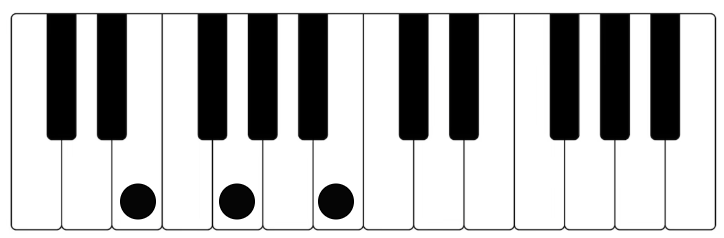
Classic Mode would play the following sequence
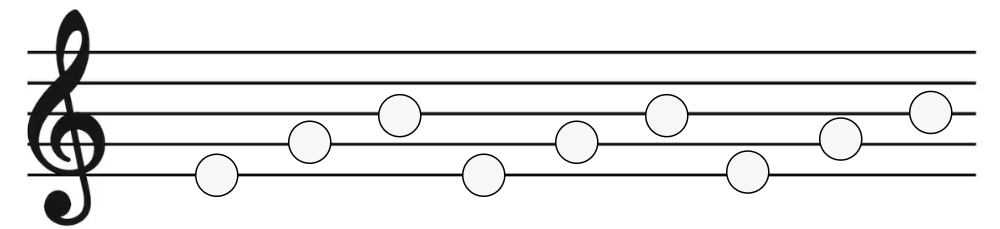
ARP Default Mode would play this sequence
It’s the same, because the number of steps matches the input notes.
However, if we changed the Steps parameter to 4…
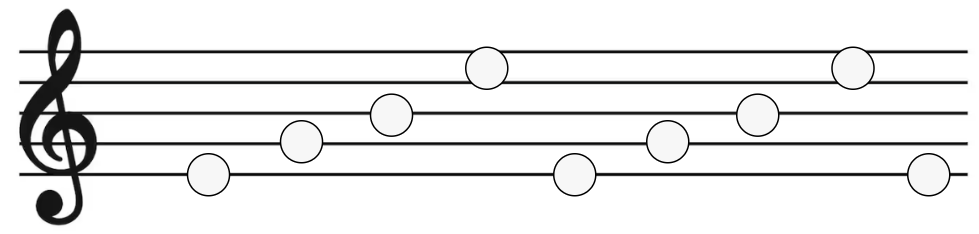
…ARP now plays a 4-note sequence of E,G,B,E
Example 2 - Given this 2-note input…
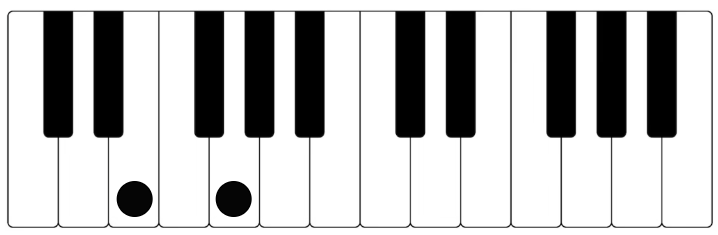
Classic Mode would play…
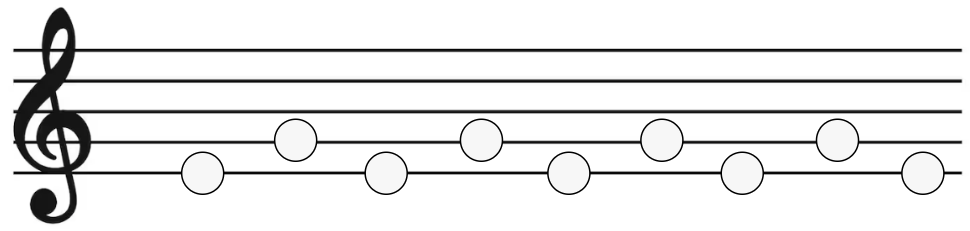
ARP Default Mode would play…
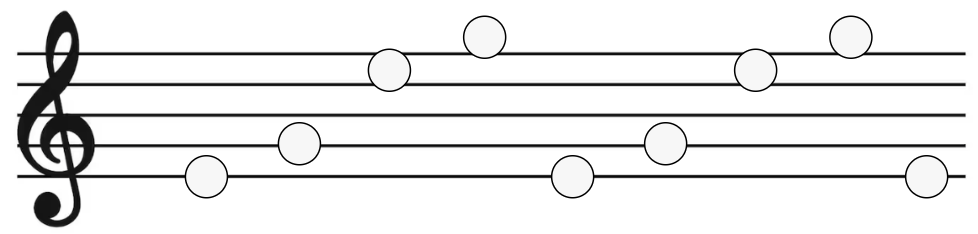
Again, Steps is set to 4, so the sequence is 4 steps before it repeats.
In ARP Default Mode, if you keep increasing the Steps parameter, the sequence will keep getting longer (to a max of 16 steps).
Example 3 - Given this 3-note input…
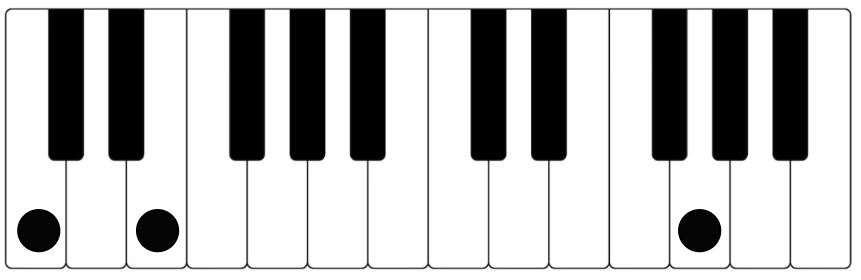
Classic Mode would play…
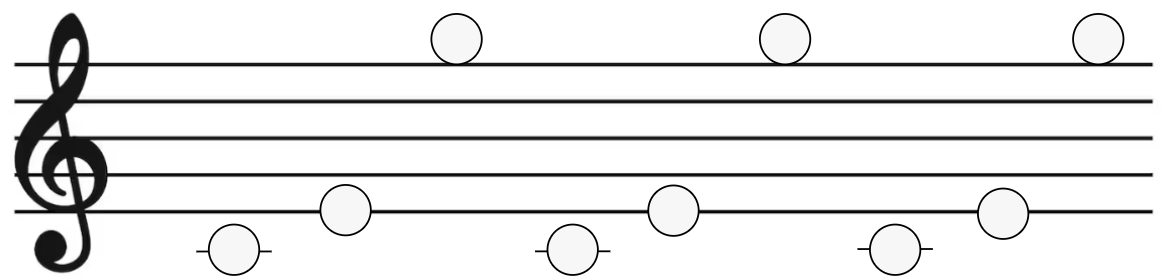
The exact notes played.
ARP Default Mode would play…
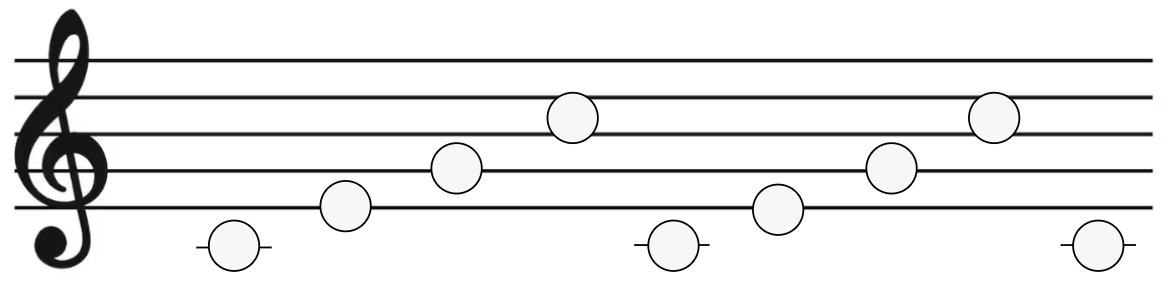
Because steps is set to 4 and the note letters are C,E,G
Example 4 - Given this 4-note input…
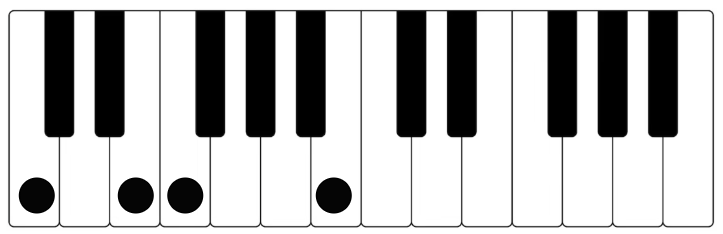
Classic Mode would play…
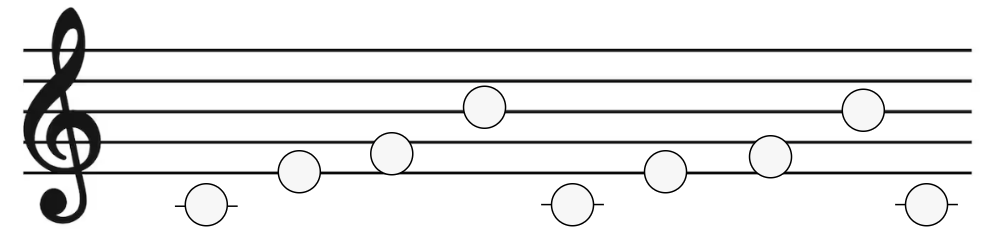
If we set the number of Steps to 7, ARP Default Mode would play…
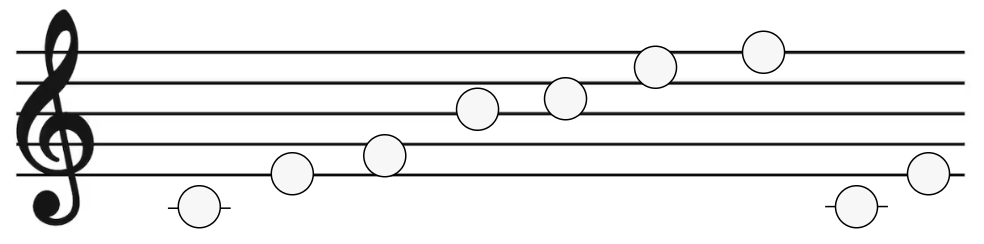
If we set the Steps to 1, ARP Default Mode would play…
To reiterate, In ARP Default Mode, it is the number of steps that determines the length of the sequence and the input note letters are used to define the note pitches that are played as the sequence moves through the scale.
In Classic Mode, the sequence length is defined by the number of notes played and only the exact notes played are arpeggiated.