Chord Inversions
A chord inversion rearranges the order of notes in a chord while maintaining the same pitch classes. For example , the C major chord (C-E-G) can be played in three positions:
-
Root position: C-E-G
-
First inversion: E-G-C
-
Second inversion: G-C-E
Smooth Voice Leading
Inversions enable smooth transitions between chords by minimizing the distance between successive notes. Instead of large jumps between root positions, inversions can reduce the interval movement:
For Example: When moving from C major (C3-E3-G3) to G major (G3-B4-D4), using the root positions creates a 7-semitone jump. Using G major's first inversion (D3-G3-B4) reduces this to just 2 semitones, creating smoother voice leading.
Chord Positions
The Chord Positions feature enables manual control of chord inversions and positioning:
-
In PLAY Mode, hold the NOTE button (of your chosen root note)
-
Use UP/DOWN buttons to cycle through up to 12 positions from the root
-
The current position displays on screen
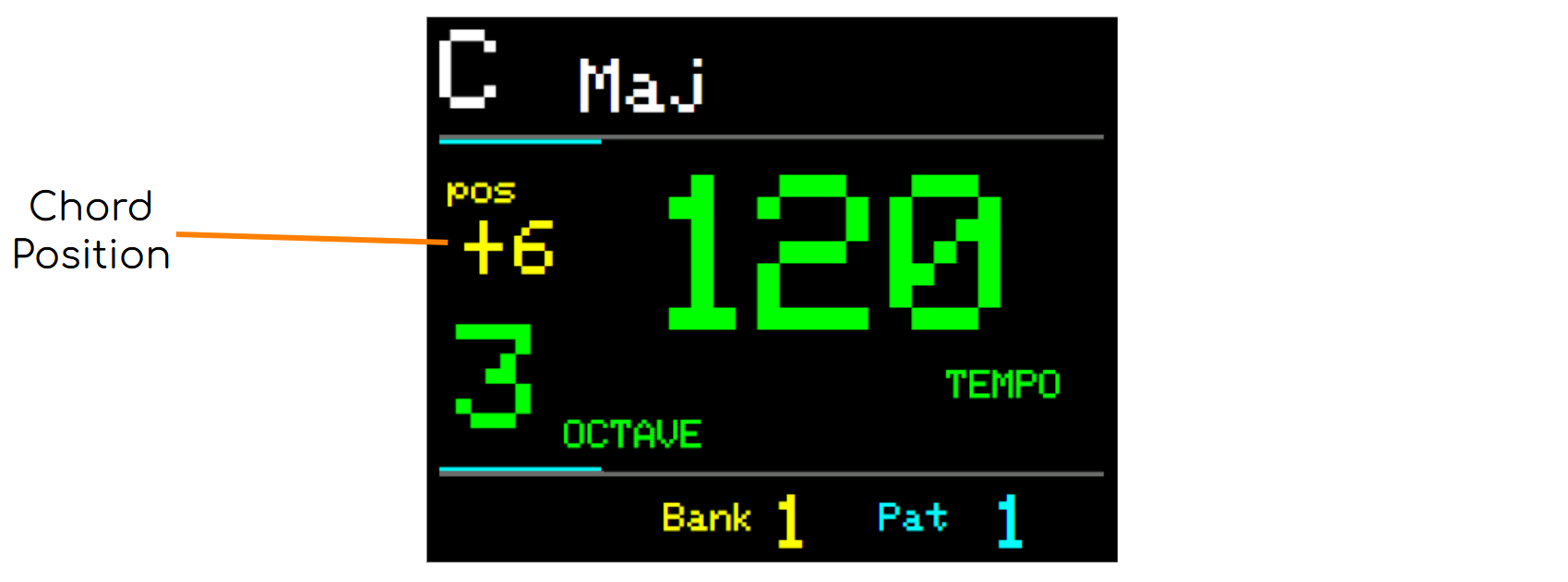
Reset the Chord Position by holding the NOTE button and pressing **RESET
Important behaviors:**
-
Positions persist when changing octaves
-
New notes default to root position
-
Position changes follow the global scale, regardless of Note Offset Mode
-
Enabling Note Lock overrides Chord Position settings
-
Some positions may exceed MIDI note range (0-127), producing no output
Chord Change Voice Leading
This feature automatically selects the closest inversion when transitioning between chords in PLAY Mode:
Example:
-
From C major (C-E-G) to A major:
-
First press: C#-E-A (Position -2)
-
Second press: E-A-C# (Position -1)
-
Third press: A-C#-E (Root)
-
Configuration
-
Enter SET Mode
-
Press MENU
-
Enable Chord Change Voice Leading
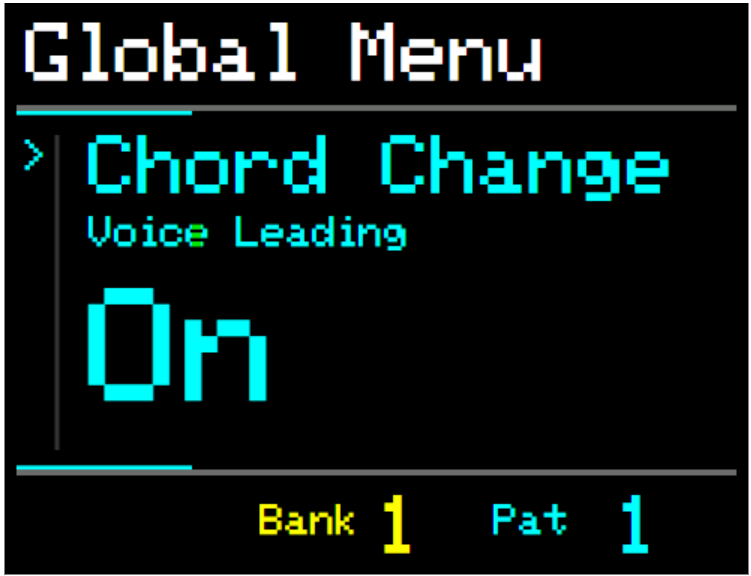
Notes.
Enabling Octave Lock will disable Voice Leading for the associated Track.
Voice Leading does not function when using an external keyboard.
Performing with Chord Positions and Voice Leading
Voice Leading works alongside manual Chord Position adjustments:
Example:
-
If C major is at position -5 (E1-G1-C2)
-
Selecting A plays A major at -6 (E1-A1-C#2)
Repeatedly press the current NOTE button to move the chord towards the root position or UP/DOWN for manual positioning.
These two tools are a great way to explore, experiment and perform with chords and scales.
For more ideas see Appendix X - Ideas and Tips for performing with Chords and Chains