Appendix XI - Troubleshooting MIDI Channels, Routing and Live Play
MIDI Channels and MIDI routing can be complex and difficult to fix when things aren’t working as expected.
This section has some information about MIDI and how to help resolve issues.

How MIDI works
MIDI data is a string of messages. Each message has a meaning which is understood by all MIDI devices because the mechanism was set in stone by the MIDI Standard.
Half of each message says how to read the message and the rest is the information.
For example, one message might say:
-
“I'm a note message and I say turn on Middle C at this loudness and also I'm a message only for anything listening on channel 1.”
Then another message comes along and says:
-
“Turn off middle c on channel 1”
MIDI devices can read about 300 messages every second.
MIDI Channels
All MIDI note messages are marked with a “channel” number.
Any connected MIDI devices that are configured to receive on channel 1 will ignore any messages marked with different channel numbers.
MIDI Channel Parameter
ARP can be configured to play different instruments on different channels.
-
In SET Mode, press the Midi Out button to select the Midi Out parameter
-
This value must match the MIDI channel that your MIDI device is set to receive on
Note Sync Settings
If you want to set ARP’s Chord/Scale (Note Sync) with an external Keyboard or sequencer:
-
In SET Mode, press Menu to select MIDI Input Channel (Note Sync)
-
This value must match the MIDI Channel on which your MIDI device is set to send on
Live Play
To Play ARP Live (Live Play) using an external Keyboard or sequencer:
-
In SET Mode, press the Menu button to select MIDI Input Channel (Note Sync) and check that the value matches the MIDI Channel on which your MIDI device is sending note data
-
Use the Menu button to select Live Play on Note Input and check that it is “On”
MIDI Thru
MIDI Thru simply passes all messages from a devices’ MIDI Input port to it’s MIDI Output port(s).
This allows you to connect multiple devices (on different MIDI Channels) using a single cable between each device.
This is known as Daisy Chaining.
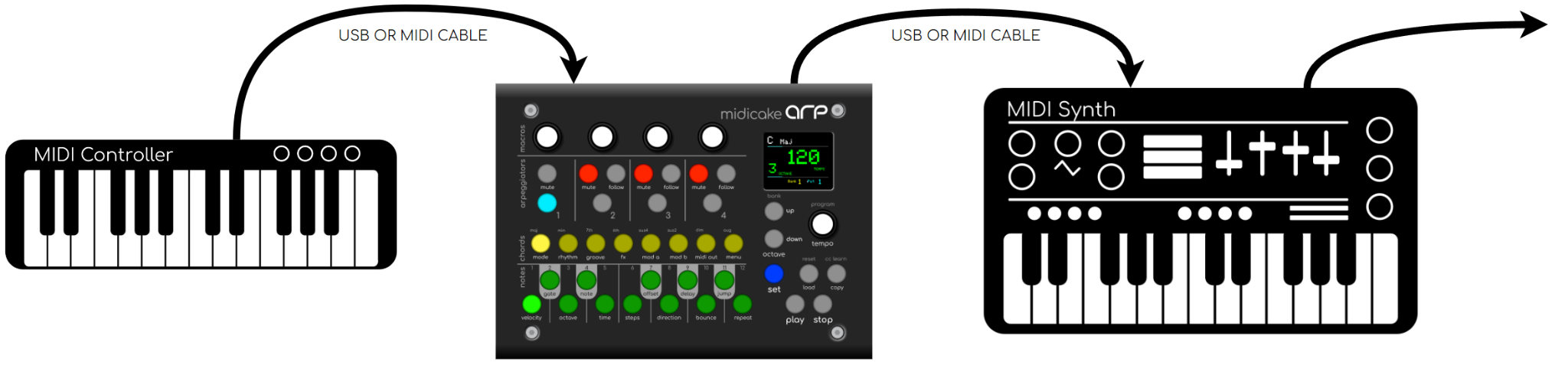
ARP will MIDI Thru from any MIDI connection to all it’s other connections. For example, MIDI messages received via DIN In will be forwarded to the DIN Out, USB Host and USB MIDI connections.
Note that, messages received via USB on ARP will not be forwarded on the same USB connections as this can cause a MIDI loop which can cause timing problems and even crashes..
The disadvantage of daisy chaining is that the time it takes to read and forward messages introduces a latency, that is, a delay before the receiving device responds to the MIDI message. The further down the chain, the greater the latency.
Using a MIDI Hub
For daisy chains of 3 or 4 devices the latency is barely noticeable, but if you want to connect more devices, you might want to try a MIDI Hub.
A MIDI Hub can connect many MIDI devices in parallel. This means that they all receive the MIDI data at the same time and the latency is all but eliminated.
Sometimes called a MIDI Splitter, the MIDI Hub will duplicate incoming MIDI messages and forward them to all its output ports at the same time.
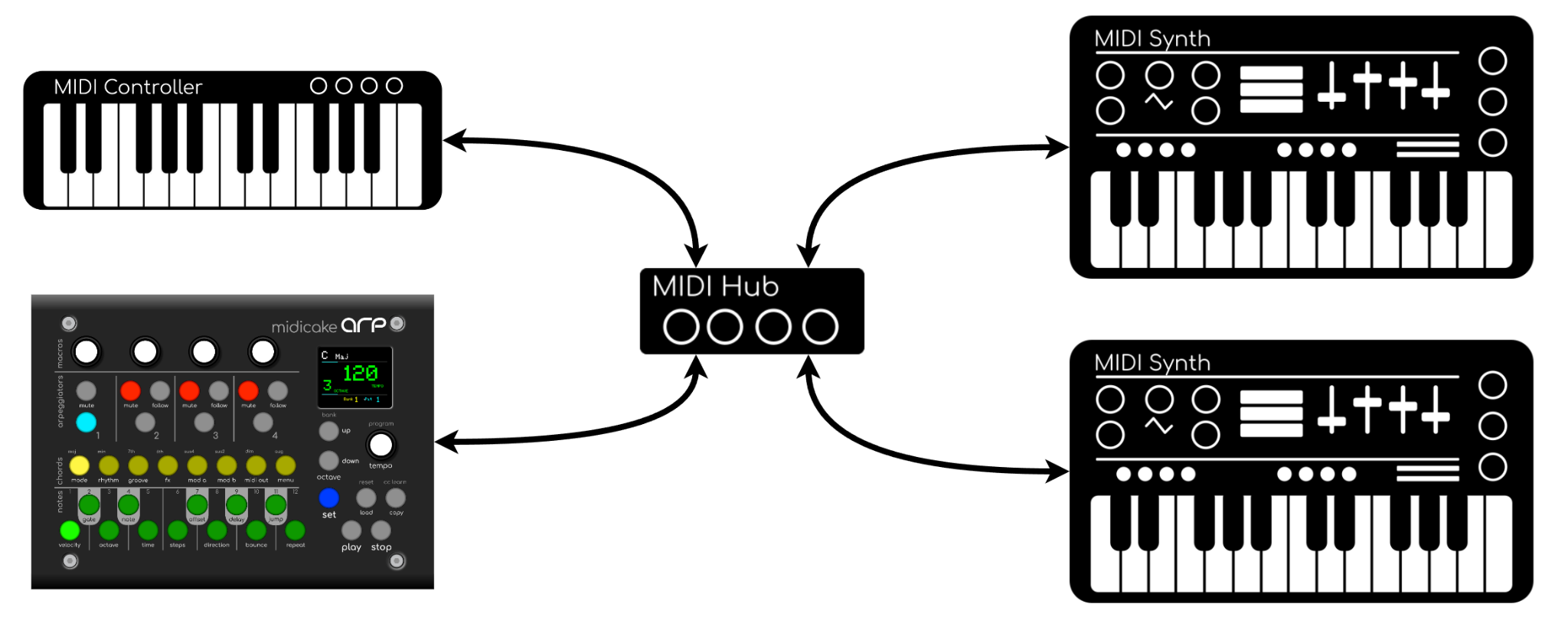
There are numerous options available and some have advanced switching and scripting capabilities to help incorporate many synths into your studio. It is worth investing in if you have many synths and want to make the best use of ARP’s MIDI channel switching and harmony syncronization capabilities.