Appendix VII - Creative Ideas for Binary Patterns

Example 1 - Mute Sequencing with Velocity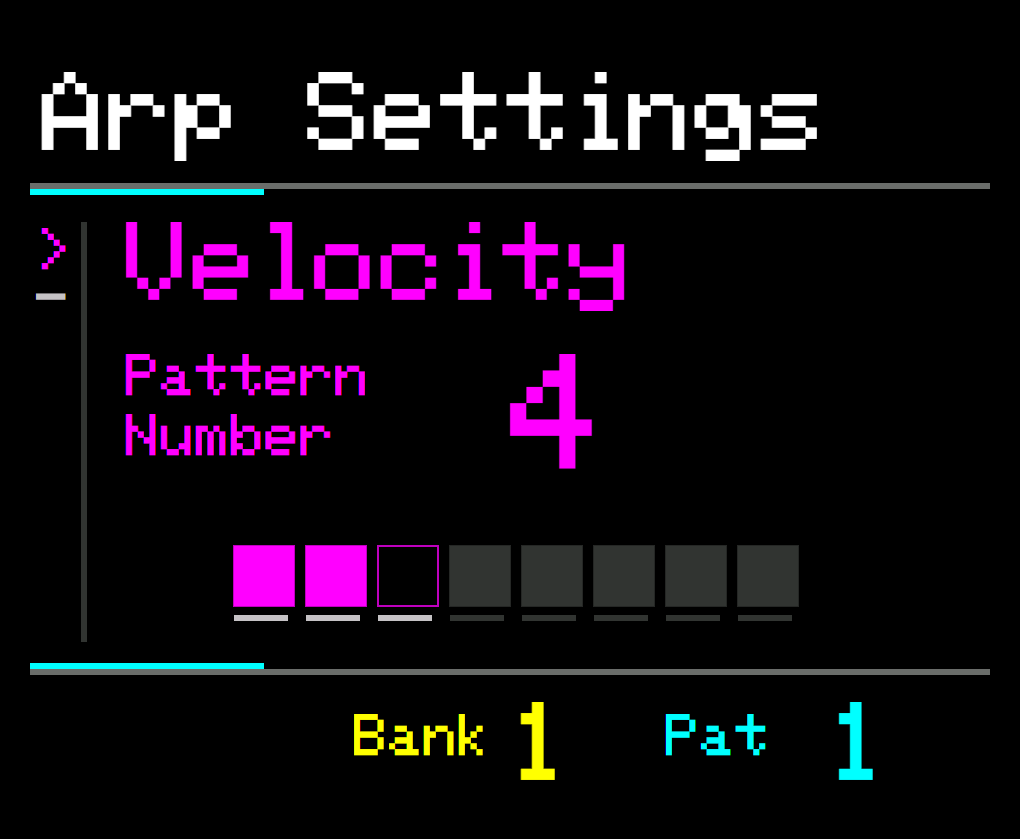 

For the Velocity parameter, each step in the pattern that is set to OFF will effectively work like a MUTE for the individual step.
Just like a musical rest, where no note is played.
Press PROGRAM, then set Pattern Number to 4 and Pattern Length to 3 to create a sequence such as this:
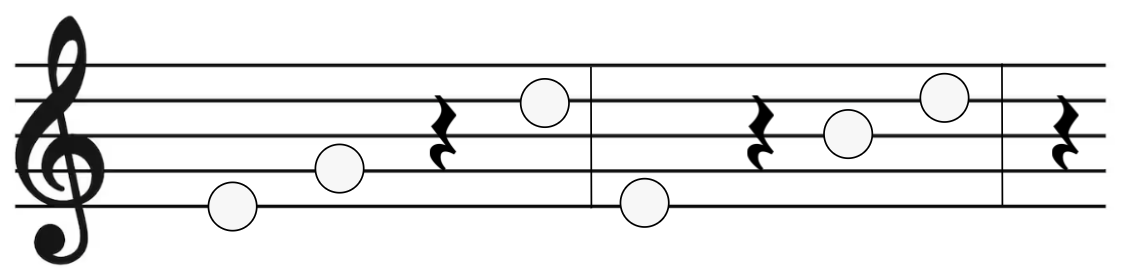
 

This is similar to Rhythm Patterns but much faster to create muted sequences.
You can use the Rhythm Patterns at the same time but with different pattern lengths.
Example 2 - Creating finely adjustable “Swing” with Delay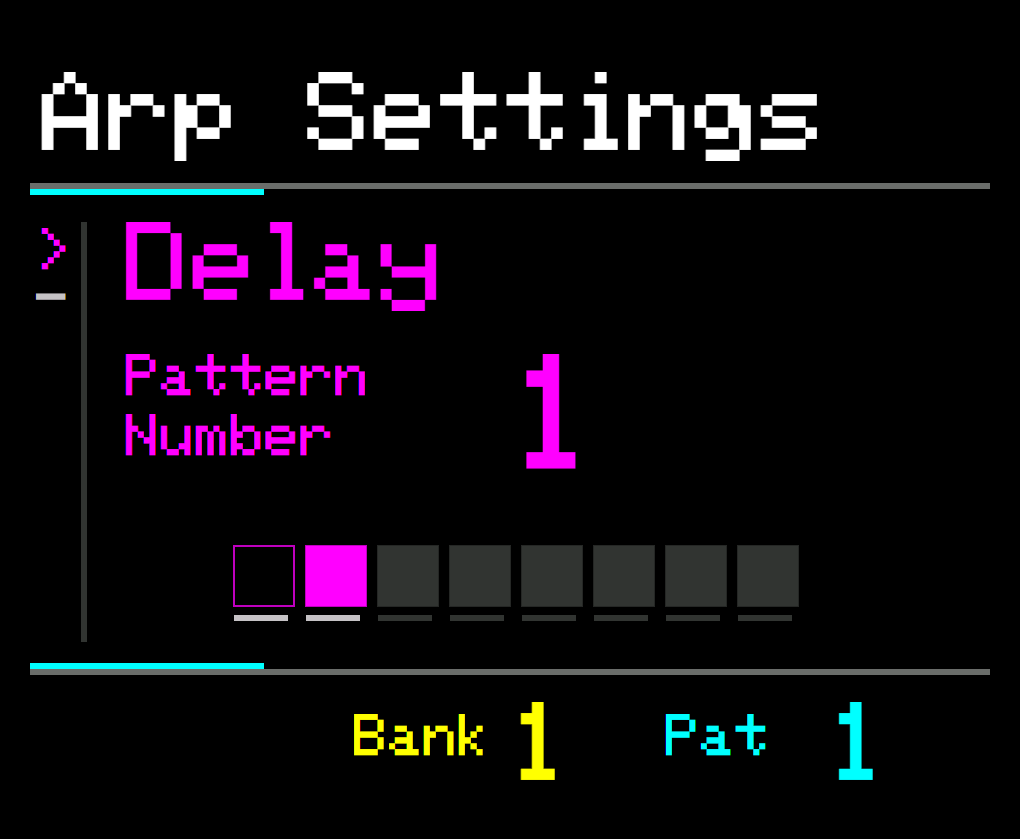 

Each step in the pattern that is set to ON will apply the Delay amount, each OFF step will not apply delay. In this way you can create rhythmic patterns that affect the timing of notes. This is similar to the Groove Pattern but provides much finer grain control of the amount of delay.
To create a “Swing” feel to your sequence, select the Delay parameter and add a value greater than 0.
Press PROGRAM and set the Pattern Number to 1 and the Length to 2.
A sequence like this one will be created:

The pattern will repeat depending on the Pattern Length.
Therefore, setting the Pattern Length to 2 (as above) means that the parameter value will only be applied every other step, creating the swing effect
Example 3 - Time Sequencing with Chop
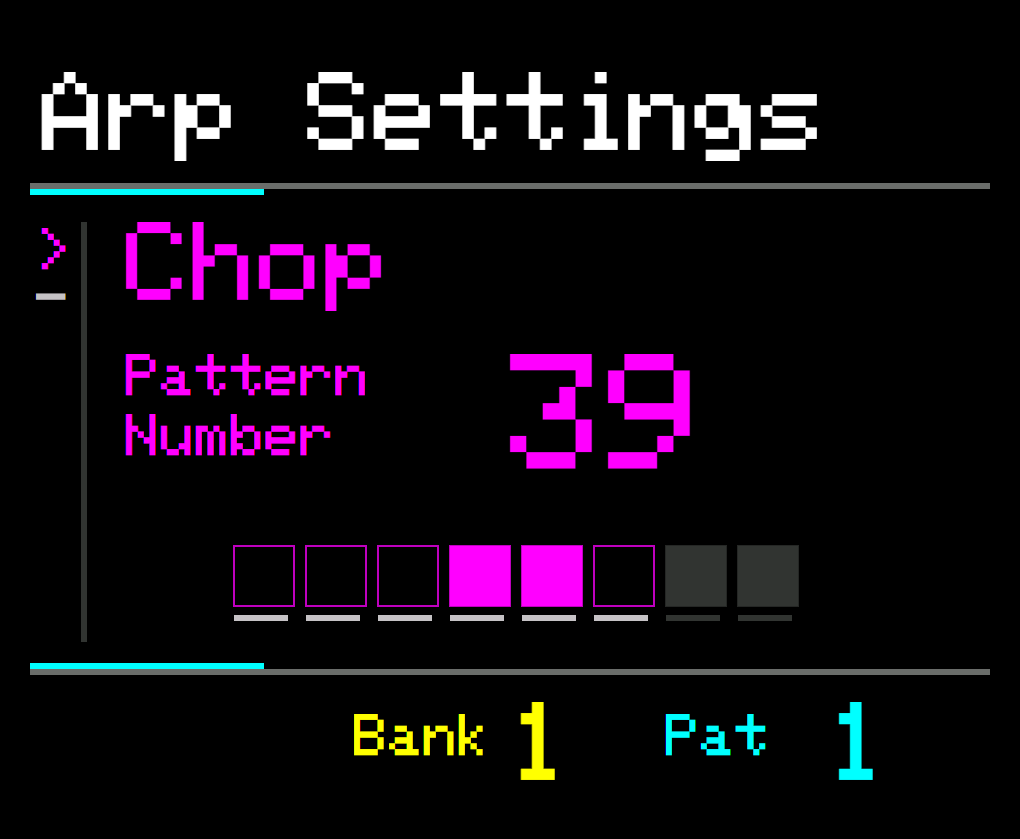 

When used with the Chop parameter, each ON step of the Binary Pattern will subdivide the note by the number of Chops.
Each OFF step will only leave the note unaffected.
You can use this to create sequences that change the Time Division on specific steps.
For example:
Set the Chop amount to 2.
Press PROGRAM and set the Pattern Length to 6 and the Pattern Number to 39.
The Chop will be applied on only the 4th and 5th of every 6 steps, like this:

Example 4 - Percussion Stutter with Ratchet
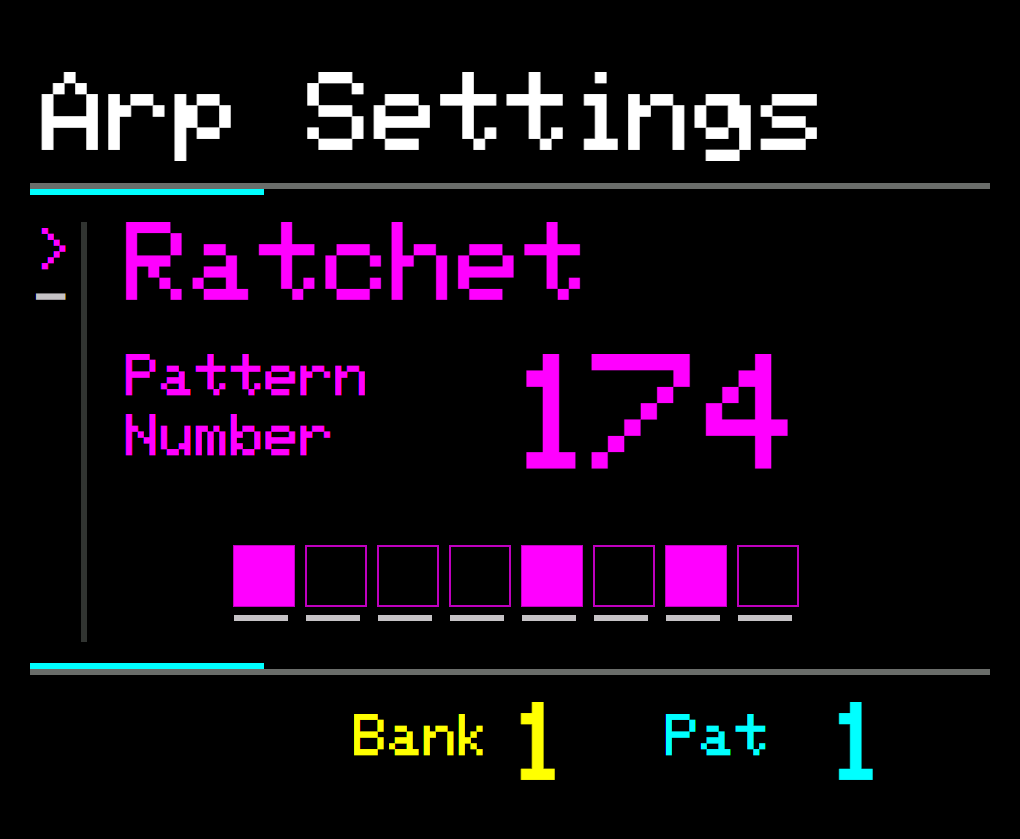
Adding a Binary Pattern to Ratchets can be used to great effect with percussion sounds.
Each ON step in the pattern will stutter the individual note.
As an example:
With Steps set to 1 and Ratchet selected and set to 4.
Press PROGRAM and set Pattern Length to 8 and Number to 174 and the following pattern will be created:
